

- Cualquier usuario del servicio de energía podrá generar una radicación.
- Recuerde tener a la mano su factura de energía y/o cualquier soporte que considere necesario.
- Se estará dando respuesta a la radicación en un tiempo no mayor a 15 días hábiles.
Filing of requests and applications
Tener en cuenta




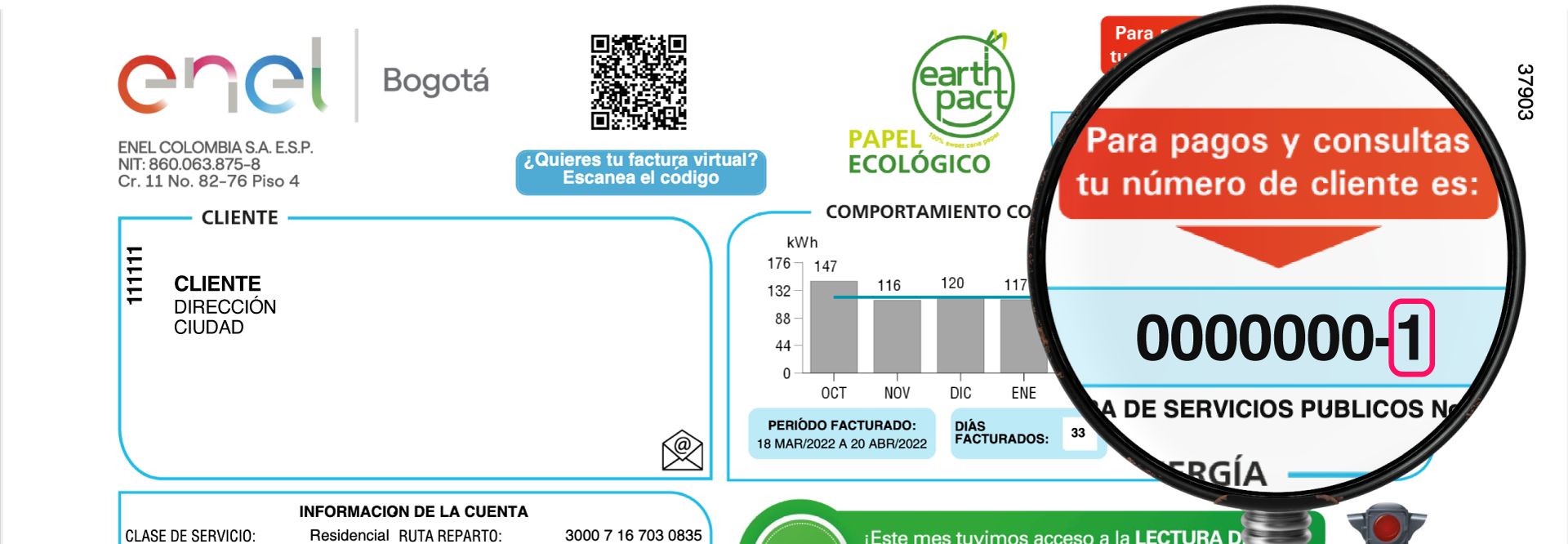
El digito de verificación hace referencia al número que encuentras en la parte superior de la factura después del guion.
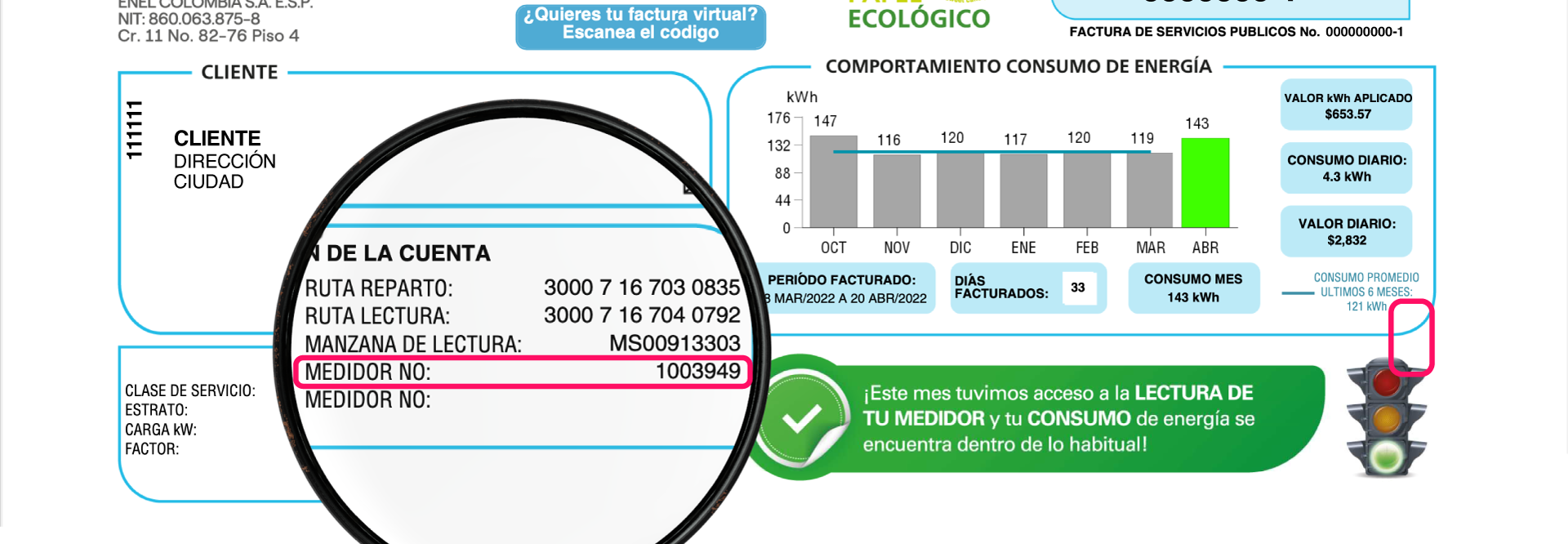
Recuerda que el número de medidor lo encuentras en tu factura de energía en el módulo Información de la cuenta.
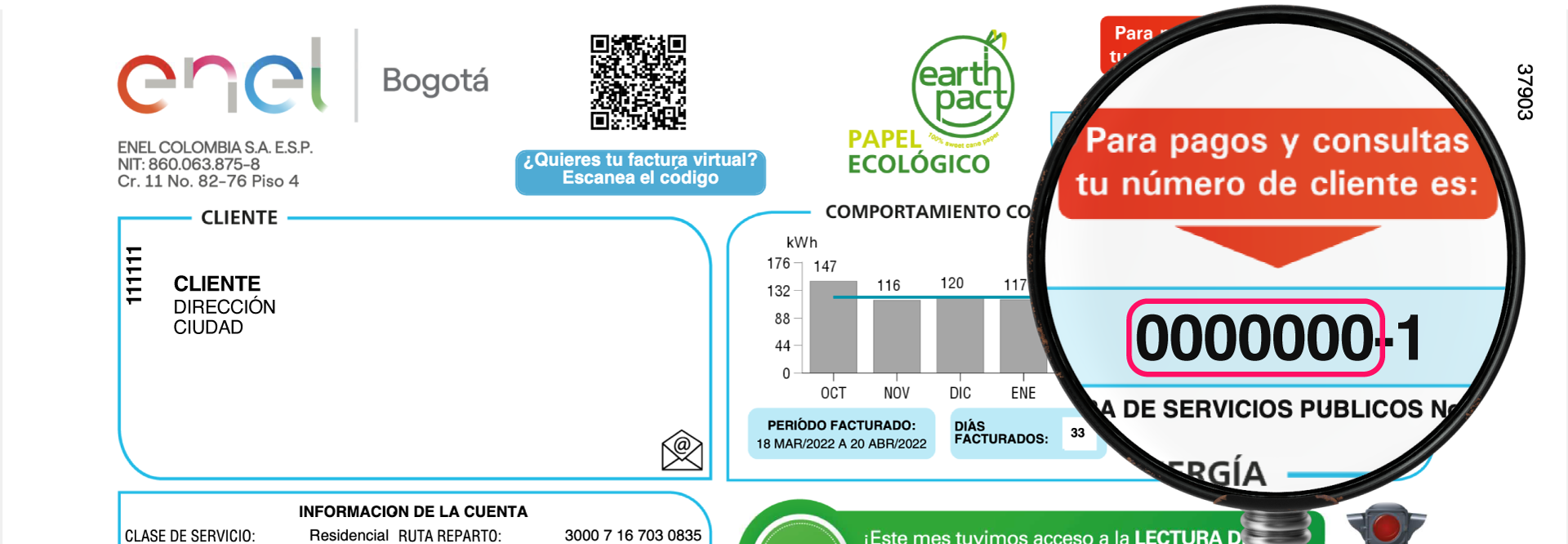
Recuerda que el número de cliente lo encuentras en la parte superior de tu factura. En este campo debes incluir los 7 números antes del guion.
Tener en cuenta que:
Esta información corresponde a la información del solicitante.
Tener en cuenta que:
Esta información corresponde a los datos del cliente empresarial.
Recomendaciones para adjuntar archivos:
Antes de adjuntar un archivo relacionado con su solicitud, tenga en cuenta las siguientes recomendaciones:
1. Documentación completa: Asegúrese de adjuntar todos los documentos requeridos para una radicación exitosa. Puede encontrar más detalles en nuestra Guía de Trámites y Solicitudes.
2. Nombre y legibilidad: Revise que el archivo tenga un nombre claro y que su contenido sea legible y válido.
3. Número de archivos: Puede adjuntar un máximo de 5 archivos.
4. Formatos aceptados: Solo se aceptan archivos en formato JPG o PDF.
5. Tamaño de los archivos: Verifique que cada archivo no supere los 5 megabytes (MB) de tamaño.
Si sigue estas recomendaciones, facilitará el proceso de su solicitud. ¡Gracias por su colaboración!

El tiempo para completar el proceso ha caducado, por favor actualizar la página para comenzar nuevamente.
Welcome to the Enel Colombia Corporate Filing Portal for Requests, Petitions, Complaints, and Claims (PQRs). Through this digital channel, businesses, corporate clients, official entities, and authorized representatives can submit commercial, billing, and technical requests online and track their official filing number.
How to Submit Your Corporate Request Online
- 1. Select Your Customer Category and Request Type: Choose the service category corresponding to your inquiry (corporate billing, metering inspection, load increase, account modification, or general petition) and enter your Enel Colombia account number.
- 2. Provide Contact and Company Identification Details: Enter your company NIT or identification document, authorized contact name, corporate email address, and phone number where you wish to receive the official response.
- 3. Attach Supporting Documentation: Upload your written request and any required technical or legal attachments (Chamber of Commerce certificate, legal representation document, or engineering forms in PDF format).
Once your application is submitted, the system will generate a unique filing reference code so you can monitor the progress and response of your request in accordance with Colombian regulatory timeframes.