

How to use biometric authentication in the Enel Colombia App
Use Our App with Facial Recognition or Fingerprint
Biometric authentication is an easier way to use the Enel Colombia App.
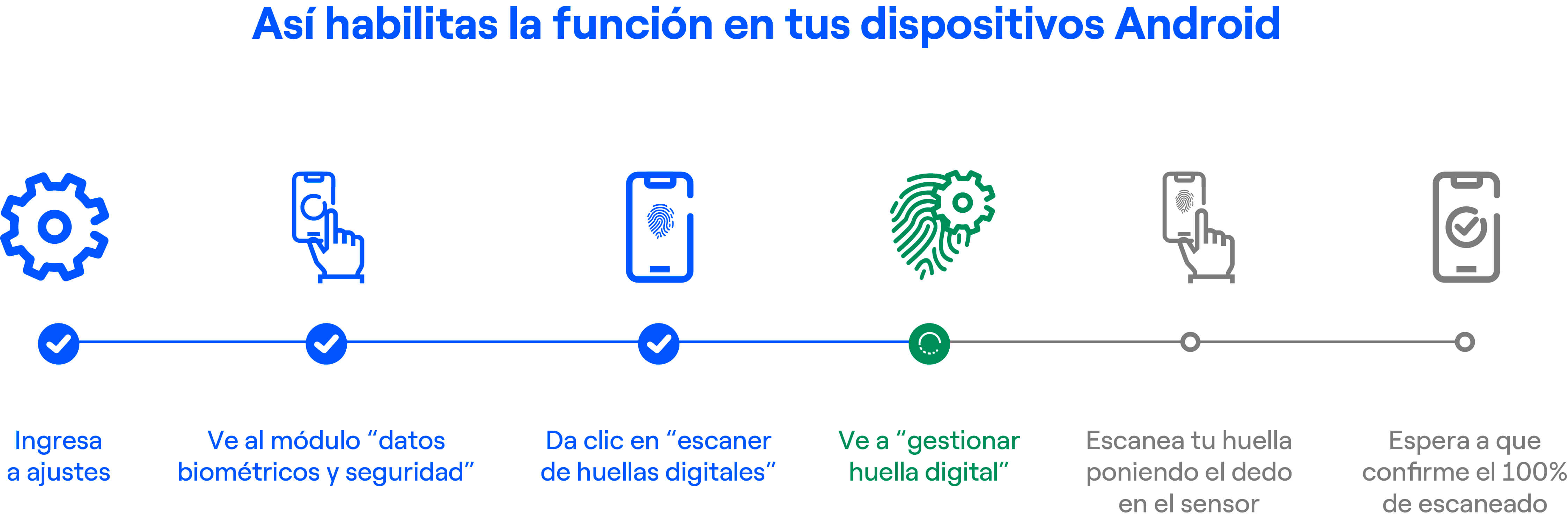
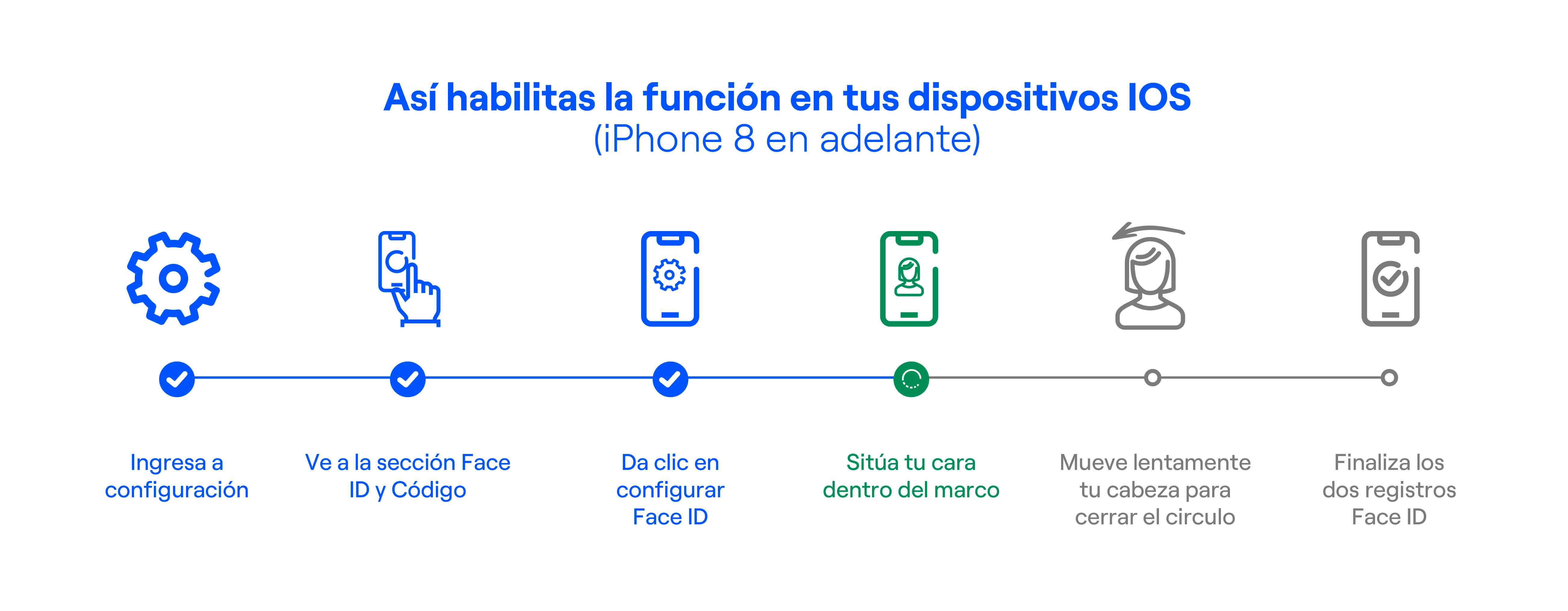
If your cellphone or mobile device has facial recognition or fingerprint technology and you have it enabled in your device settings, you can now use the Enel Clientes App with these options for a simpler and more convenient login experience
Requirements to use biometric authentication

Have a device with biometric technology

Have the biometric feature enabled on your mobile device.

Download the Enel Colombia App.
Download the Enel Clientes App for free and register
Log In to the Enel Clientes App Using Biometric Authentication:
If you have already registered in the website’s private area, you can access the App using the same username and password.
- If you are a new user, the App will automatically prompt you to confirm biometric recognition during your first login.
- If you are already registered, follow these steps to activate biometric authentication::
- Log in with your username and password.
- Open the menu and select My Enel.
- Go to y Profile.
- Select Manage your biometric registration.
- Enable or disable the biometric authentication option according to your preference.